Documentation that matches the app
Generated from the model rather than written by hand afterwards.
AI-generated Playwright end-to-end tests for Mendix — written from your app’s model, traced back to every requirement, and run from VS Code beside Studio Pro.
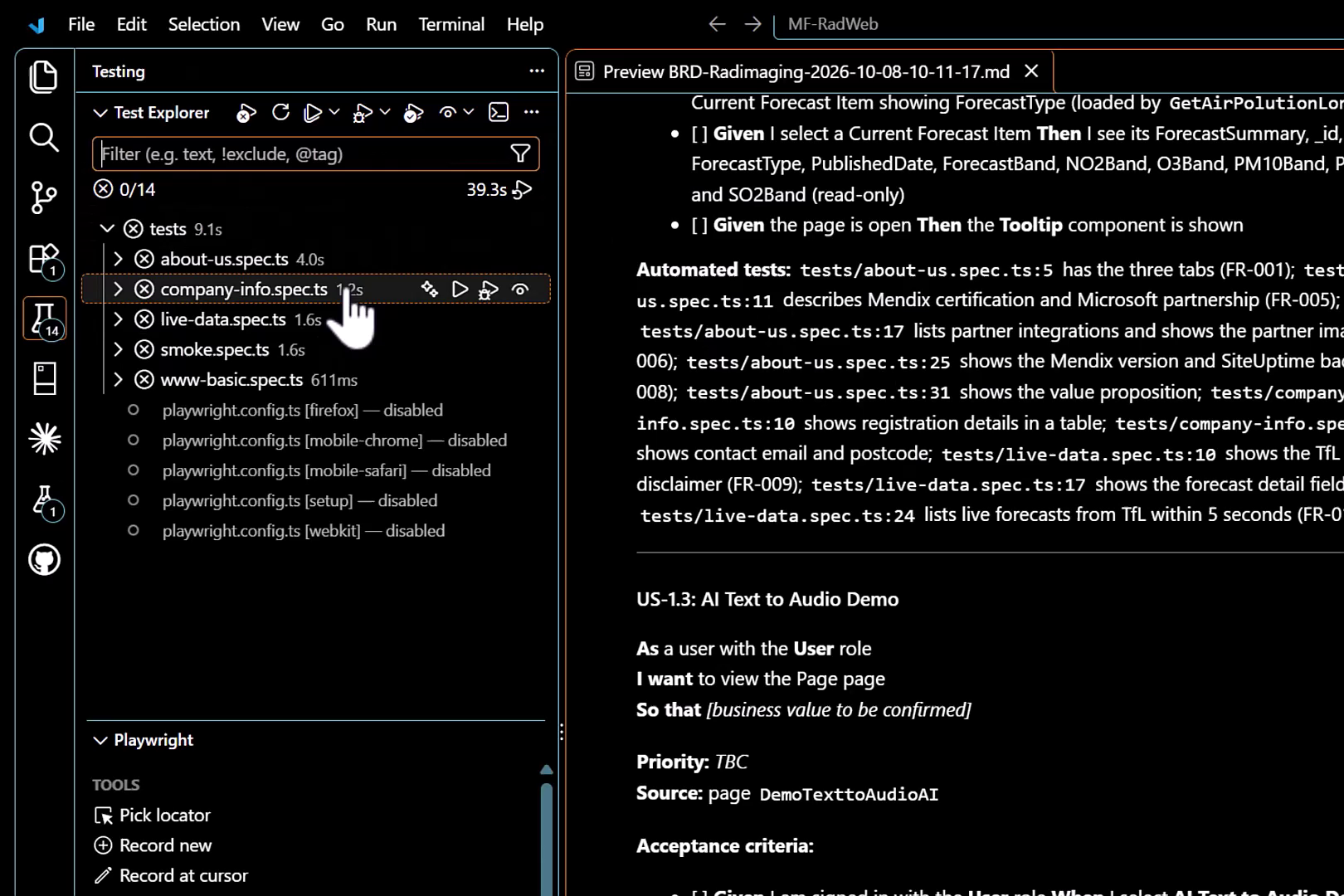
Select any part of the diagram to see what happens at that stage.
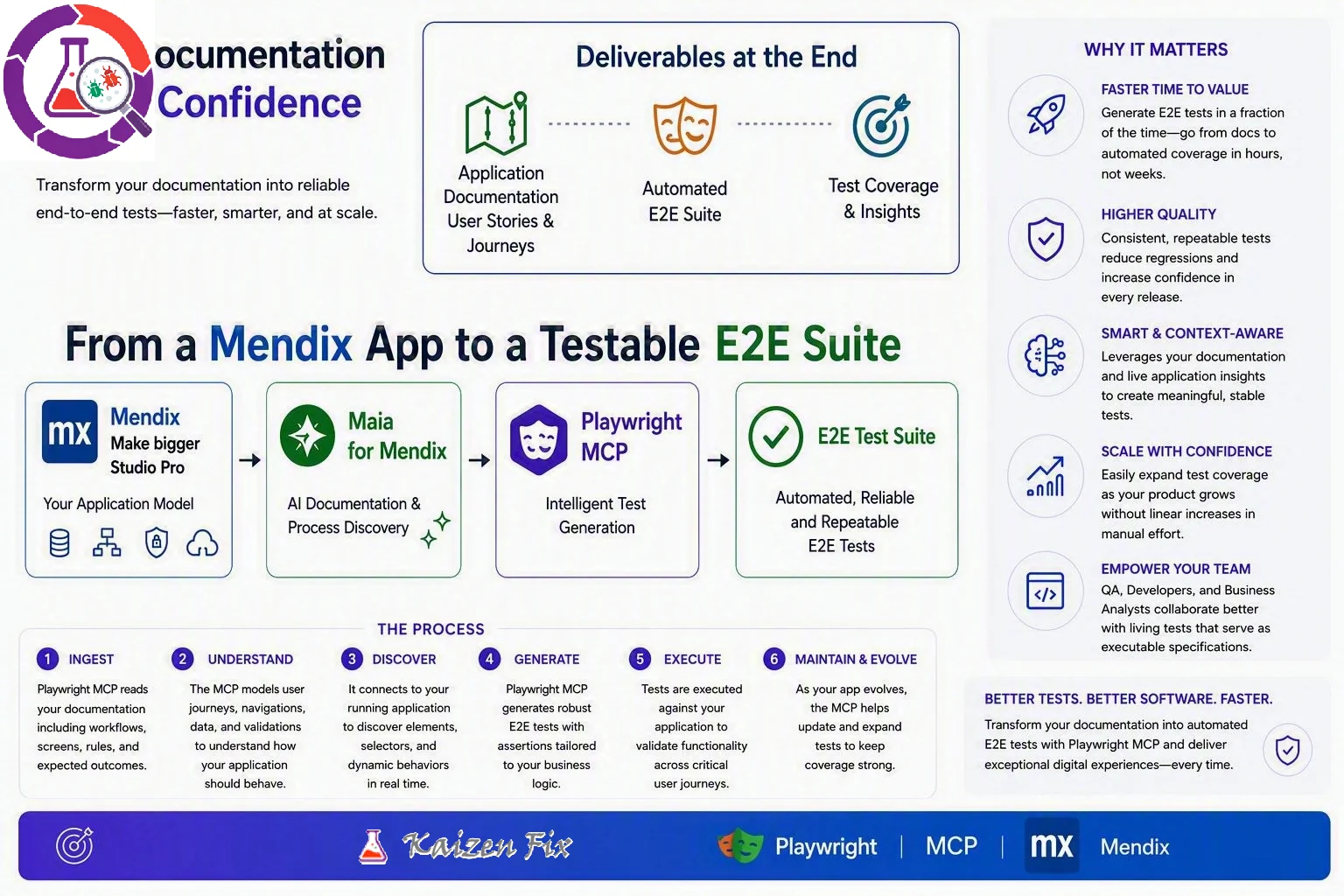
Choose a numbered area on the diagram, or a stage above, to explore it.
Start your app in Studio Pro as usual. MendixWright reads the compiled model — pages, navigation, domain model, microflows and integrations — so nothing has to be described by hand.
The model becomes a structured Business Requirements Document: overview, scope, user stories, functional and non-functional requirements, and open questions. Anything the model can’t tell us is marked to be confirmed rather than guessed.
Playwright MCP connects to your running app to discover elements, selectors and dynamic behaviour in real time, then generates robust E2E tests with assertions tailored to your business logic.
The suite opens in VS Code’s Test Explorer, ready to run against your local build. Every Given/When/Then acceptance criterion links to the test that covers it, down to the file and line.
Application documentation with user stories and journeys, an automated E2E suite, and test coverage and insights — plus a timestamped BRD for every run, so each release has its own record.
Ingest your documentation, understand the user journeys, discover the running app, generate the tests, execute them against your build, then maintain and evolve the suite as the app changes.
Faster time to value, higher quality releases, context-aware tests, coverage that grows without a matching growth in manual effort, and living tests that QA, developers and business analysts can all read.
Start your app in Studio Pro as usual. The MendixWright extension for VS Code finds it straight away and shows the URL, Mendix version, admin port and health status. There’s nothing to configure.
MendixWright reads the app’s pages, navigation, domain model, microflows and integrations. From these it writes a structured Business Requirements Document: overview, scope, user stories, functional and non-functional requirements, and open questions. Anything the model can’t tell us, such as business value or priority, is marked to be confirmed rather than guessed.
Each user story gets Given/When/Then acceptance criteria. Each criterion links to the exact Playwright test that covers it, down to the file and line.
The regression suite opens in VS Code’s Test Explorer, ready to run against your local build while you develop. That includes checks on live data from external APIs.
Each run saves a timestamped BRD. That gives you a record of every version of the app for side-by-side testing, change tracking and release notes.
Generated from the model rather than written by hand afterwards.
Without hand-scripting each test.
From requirement to acceptance criterion to test.
Working in VS Code beside Studio Pro.
We’ll walk through a generated BRD and test suite on a real Mendix project.
Book a demo